앨범 평점 노드는 컬렉션에 "앨범 평점" 하위 노드를 추가합니다. 이 노드는 컬렉션의 앨범들을 앨범 평점(별 5개부터 0.5개, 최악, 알 수 없음까지)별로 그룹화하여, 기존 트랙 평점 노드처럼 앨범별로 최고 평점 앨범과 최저 평점 앨범을 한눈에 확인할 수 있도록 합니다.
중요: 해당 노드를 활성화하려면 MediaMonkey Gold 라이선스가 필요합니다. 하위 노드는 컬렉션 설정에서 활성화할 수 있으며, 컬렉션 편집 또는 생성은 Gold 라이선스 전용 기능입니다(무료 버전에서는 Gold 라이선스 등록 대화 상자가 표시됩니다).
Translated automatically (see original)Album Rating Node adds an "Album Rating" sub-node to your collections. It groups the albums of a collection by their album rating (5 stars down to 0.5 stars, bomb and Unknown), so you can browse your best and worst rated albums at a glance, similar to the existing Rating node for tracks, but based on albums.
IMPORTANT: Enabling the node requires a MediaMonkey Gold license. The sub-node is switched on in the collection settings, and editing or creating collections is a Gold feature (the free version shows the Gold registration dialog instead).
Hide original
By
AI (inspired by Fetzenschaedl)
제출자 fetzenschaedl
업데이트됨 11/10/2026
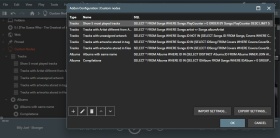
MediaMonkey 내에서 사용자 지정 노드를 생성할 수 있습니다. 7개의 샘플 노드가 포함되어 있지만, MediaMonkey 데이터베이스 구조에 익숙해지면 원하는 노드를 얼마든지 만들 수 있습니다.
Translated automatically (see original)Allows you to create custom nodes within MediaMonkey. 7 sample nodes are included, but you can create whatever nodes you want assuming you familiarize yourself with the MediaMonkey database structure.
Hide original
By
Ludek
제출자 rusty
업데이트됨 30/12/2025
버전 기록 / 세부 정보
- 버전:
- 1.1.5
- 업데이트됨:
- 30/12/2025
- Size:
- 6.36 KB
- 다음과 함께 작동합니다:
- Media Monkey 5
- 변경 사항:
Version 1.1.5 adds a UI to save custom queries
MediaMonkey 5의 재생 통계 관리
Manage Play Stats 는 MediaMonkey 5용 추가 기능( Bex 의 Add/Remove Playstat MM4 스크립트 기반)으로, 재생 기록(Played 테이블), 재생 횟수(PlayCounter), 마지막 재생 날짜(LastPlayedDate) 등 재생 통계를 정밀하게 수동으로 관리할 수 있도록 설계되었습니다. 이 기능은 타사 플레이어에서 재생 기록을 가져오거나, 잘못된 타임스탬프를 수정하거나, 실수로 재생한 파일을 되돌리거나, 통계를 일괄 정리하는 등 표준 MM5 UI에서 지원하지 않는 다양한 시나리오를 위한 내장 도구를 제공합니다.
주요 특징
추가하다
재생 횟수 추가 및 타임스탬프 추가: 한 번의 클릭으로 선택한 트랙의 재생 횟수를 현재 타임스탬프와 함께 즉시 기록하고 재생 횟수 카운터를 증가시킵니다.
재생, 타임스탬프 X 추가: 하나 이상의 트랙에 사용자 지정 타임스탬프를 지정합니다. 시작 (정방향) 및 종료 (역방향) 계산 기준을 모두 지원하여 트랙의 재생 시간에 따라 순차적으로 트랙을 정렬할 수 있습니다.
재생 횟수 추가...: 지정된 날짜/시간 범위에 걸쳐 단일 트랙의 여러 재생 기록 항목을 분산합니다. 미리 보기 기능, 지능형 기준점 설정, 용량 검사 기능을 포함하여 재생 간 간격이 비현실적으로 벌어지는 것을 방지합니다.
제거하다
재생 기록 삭제...: 특정 트랙의 모든 재생 기록을 체크 가능한 목록으로 표시하여 선택적으로 삭제할 수 있으며, 재생 횟수(PlayCounter)와 마지막 재생 날짜(LastPlayedDate)를 자동으로 재정렬하는 옵션도 제공합니다.
지정된 기간 내 모든 재생 기록 삭제: 선택한 트랙 또는 전체 라이브러리에서 지정된 기간 내 재생 기록을 일괄 삭제합니다. 실시간 미리보기 기능과 2단계 확인 대화 상자를 통해 실수로 인한 데이터 손실을 방지합니다.
조정하다
플레이 카운터만 조정...: 마지막 플레이 날짜를 변경하거나 추가 기록 레코드를 삽입하지 않고 플레이 카운터 값을 수정합니다(설정, 증가, 감소 또는 실제 기록 횟수와 일치하도록 재동기화).
마지막 재생 날짜 설정...: 트랙의 마지막 재생 타임스탬프를 직접 업데이트합니다. 기존 재생 기록 중 가장 최근 항목을 선택한 날짜로 이동하거나, 이전 기록이 없는 경우 일치하는 항목을 새로 생성합니다.
LastPlayedDate를 HistoryPlay에 추가...: 기존 LastTimePlayed 요약 태그를 Played 테이블의 적절한 기록으로 채웁니다(기기 동기화 후 노래 메타데이터가 업데이트되었지만 기록 항목이 생성되지 않은 경우에 유용합니다).
Manage Play Stats for MediaMonkey 5
Manage Play Stats is a MediaMonkey 5 add-on (based on the Add/Remove Playstat MM4 script by Bex) designed for precise manual management of playback statistics—including play history (the Played table), PlayCounter, and LastPlayedDate. It provides built-in tools for scenarios that standard MM5 UI does not cover, such as importing play history from third-party players, correcting invalid timestamps, undoing accidental plays, or performing bulk statistics cleanups.
Key Features
Hide original
Add
Add one Play, Timestamp Now: Instantly logs a single playback entry with the current timestamp and increments the play counter for a selected track with a single click.
Add one Play, Timestamp X...: Assigns a custom timestamp across one or multiple tracks. Supports both Start (forward) and End (backward) calculation anchors to sequence tracks sequentially based on their durations.
Add Plays...: Distributes multiple play history entries for a single track across a defined date/time range. Includes preview capabilities, intelligent anchoring, and capacity checks to prevent unrealistic spacing between plays.
Remove
Remove Plays...: Displays every playback record for a single track in a checkable list for targeted removal, with optional automatic re-alignment of PlayCounter and LastPlayedDate.
Remove all Plays in Period...: Bulk-deletes playback entries within a specified timeframe for selected tracks or the entire library. Features live preview feedback and a two-step confirmation dialog to prevent accidental data loss.
Adjust
Adjust Only PlayCounter...: Modifies PlayCounter values (set, increment, decrement, or resync to match actual history counts) without altering LastPlayedDate or inserting extra history records.
Set LastPlayedDate...: Directly updates the last played timestamp for a track. Moves the newest existing play entry to the chosen date or creates a single matching entry if no prior history exists.
Add LastPlayedDate as HistoryPlay...: Backfills an existing LastTimePlayed summary tag as a proper record in the Played table (useful after device syncs that updated song metadata without creating history entries).
By
fetzenschaedl
제출자 fetzenschaedl
업데이트됨 17/09/2026
버전 기록 / 세부 정보
- 버전:
- 0.1.5
- 업데이트됨:
- 17/09/2026
- Size:
- 64.43 KB
- 다음과 함께 작동합니다:
- Media Monkey 2024 - 2024
- 변경 사항:
### v0.1.5 - "View PlayHistory" pane widths fixed
- 버전:
- 0.1.4
- 업데이트됨:
- 02/08/2026
- Size:
- 64 KB
- 다음과 함께 작동합니다:
- Media Monkey 2024 - 2024
- 변경 사항:
v0.1.4 (July 2026) Summary:
-
Bugfix (Duplicate Tooltips): Removed redundant title attributes on date/time number fields across various dialogs. This eliminates dual overlapping tooltips in MediaMonkey 5 / Chromium, as the fields (YYYY-MM-DD, HH:MM:SS) are self-explanatory.
-
New Feature ("View PlayHistory"): Added a read-only viewer directly under Manage Play Stats. It features a split layout (selected tracks on the left, PlayCounter and full play history on the right) with zero-padded row numbers for clean alignment. It makes no database changes and allows safe inspection of stored data.
-
Documentation Fix: Moved "Add LastPlayedDate as HistoryPlay" in the README to the correct Add submenu section.
-
- 버전:
- 0.1.3
- 업데이트됨:
- 26/07/2026
- Size:
- 57.72 KB
- 다음과 함께 작동합니다:
- Media Monkey 2024 - 2024
트랙 이력 전송 1.1.5
트랙 히스토리 전송은 MediaMonkey 5의 핵심 애드온으로, 기존 트랙을 더 나은 버전으로 교체할 때 수년간의 청취 기록이 손실되는 문제를 해결하기 위해 개발되었습니다. MP3 파일을 FLAC으로 업그레이드하거나, 리마스터링 버전을 추가하거나, 중복 앨범을 정리하는 경우에도 트랙 히스토리 전송은 재생 횟수, 평점, 태그, 전체 재생 기록을 기존 파일에서 새 파일로 정확하고 안전하게 전송합니다.
지능형 점수 기반 매칭 기능을 통해 트랙 히스토리 전송은 혼합된 트랙에서도 길이, 트랙 번호 및 제목 유사성을 기준으로 소스 트랙과 대상 트랙을 자동으로 짝지어 줍니다. 드래그 앤 드롭 방식으로 짝을 편집할 수 있는 확인 대화 상자를 통해 저장 전에 모든 설정을 완벽하게 제어할 수 있으며, 전용 손실 압축 → 무손실 압축 모드와 라이브러리 전체에서 중복 앨범을 찾는 스캐너를 통해 일괄 정리 작업을 빠르고 안정적으로 수행할 수 있습니다.
트랙 기록 전송 기능은 재생 횟수를 덮어쓰는 대신 병합하고, 외부 아트워크 및 재생 목록 멤버십을 전송하며, 전송이 확인되면 선택적으로 소스 정리(통계 초기화, 데이터베이스에서 제거 또는 파일 전체 삭제)를 수행하는 등 중요한 세부 사항도 처리합니다.
시간이 지남에 따라 음악 라이브러리를 업그레이드하고 청취 기록을 처음부터 다시 시작하고 싶지 않은 모든 사용자를 위해 설계된 트랙 히스토리 트랜스퍼는 정확한 매칭과 모든 전송에 대한 투명하고 검토 가능한 워크플로를 제공합니다.
설치 및 사용 방법에 대한 자세한 내용은 함께 제공되는 readme.md 파일을 참조하십시오.
⚠️ 이 추가 기능을 사용할 때는 주의하십시오. 트랙 기록 전송 기능은 트랙 데이터, 통계 및 파일을 영구적으로 수정하거나 삭제할 수 있습니다. 잘못된 사용(잘못된 소스/대상 연결, 의도치 않은 삭제 옵션 등)은 데이터 손실을 초래할 수 있습니다. 이 추가 기능은 제한된 규모에서만 테스트되었습니다. 특히 중복 앨범 찾기와 같은 일괄 작업이나 소스 정리 옵션이 포함된 전송 작업을 수행하기 전에는 항상 MediaMonkey 데이터베이스를 백업하십시오 .
주요 특징
- 스마트 스코어 매칭 : 재생 시간, 트랙 번호 및 제목 유사도를 기준으로 소스 트랙과 대상 트랙을 자동으로 매칭합니다.
- 통계 전송 : 플레이 횟수, 마지막 플레이 시간, 건너뛰기 횟수, 추가 날짜 및 평점
- 플레이 기록 전송 : 총 플레이 횟수뿐만 아니라 개별 플레이 시간도 보존합니다.
- 재생 횟수 병합 : 원본과 대상의 재생 횟수를 덮어쓰지 않고 합산합니다.
- 완벽한 태그 및 필드 지원 : 제목, 아티스트, 앨범, 장르, 작곡가, 분류 필드 및 10개의 사용자 지정 필드를 모두 개별적으로 선택할 수 있습니다.
- 손실 압축 → 무손실 압축 모드 : 혼합된 앨범에서 기존 포맷과 새로운 포맷의 트랙을 자동으로 분리합니다.
- 중복 앨범 찾기 : 전체 라이브러리를 스캔하여 손실 압축 버전과 무손실 압축 버전이 모두 있는 앨범을 찾습니다.
- 확인 대화 상자 : 전송 전에 드래그 앤 드롭으로 쌍을 재할당할 수 있는 미리보기 기능을 제공합니다.
- 재생 목록 및 아트워크 이전 : 재생 목록 멤버십과 외부 앨범 커버 아트를 그대로 유지합니다.
- 소스 정리 옵션 : 통계 지우기, 데이터베이스에서 제거 또는 소스 파일 삭제 - 선택 사항입니다.
Track History Transfer 1.1.5
Track History Transfer is a focused MediaMonkey 5 add-on built to solve one recurring problem: replacing a track with a better version shouldn't mean losing years of listening history. Whether you're upgrading an MP3 to FLAC, swapping in a remastered edition, or cleaning up duplicate albums, Track History Transfer moves play counts, ratings, tags, and full play history from the old file to the new one — accurately and safely.
With intelligent score-based matching, Track History Transfer automatically pairs source and target tracks by duration, track number, and title similarity, even across mixed selections. A confirmation dialog with drag-and-drop pair editing gives you full control before anything is written, while a dedicated Lossy → Lossless mode and a library-wide Find Duplicate Albums scanner make batch cleanups fast and reliable.
Track History Transfer also handles the details that matter: merging play counts instead of overwriting them, transferring external artwork and playlist memberships, and optional source cleanup — clear stats, remove from database, or delete the file entirely — once a transfer is confirmed.
Built for anyone who upgrades their library over time and refuses to start their listening history from zero, Track History Transfer combines precise matching with a transparent, reviewable workflow for every transfer.
For setup and usage details, see the bundled readme.md.
⚠️ Please use this add-on with care. Track History Transfer can permanently modify or delete track data, statistics, and files — incorrect usage (wrong source/target pairing, unintended delete options, etc.) can result in data loss. This add-on has only been tested on a limited scale. Always create a backup of your MediaMonkey database before using it, especially before batch operations like Find Duplicate Albums or any transfer involving the source cleanup options.
Key Features
Hide original
- Smart Score Matching: Automatically pairs source and target tracks by duration, track number, and title similarity
- Statistics Transfer: Play Count, Last Played, Skip Count, Date Added, and Rating
- Play History Transfer: Preserves individual play timestamps, not just the total count
- Merge Play Count: Adds source and target play counts together instead of overwriting
- Full Tag & Field Support: Title, Artist, Album, Genre, Composer, Classification fields, and 10 Custom Fields — all individually selectable
- Lossy → Lossless Mode: Automatically separates old and new format tracks from a mixed album selection
- Find Duplicate Albums: Scans your entire library for albums with both lossy and lossless versions
- Confirmation Dialog: Side-by-side preview with drag-and-drop pair reassignment before any transfer
- Playlist & Artwork Transfer: Keeps playlist memberships and external cover art intact
- Source Cleanup Options: Clear statistics, remove from database, or delete the source file — entirely optional
By
AI (Inspired by Fetznschaedl)
제출자 fetzenschaedl
업데이트됨 29/07/2026
버전 기록 / 세부 정보
- 버전:
- 1.4.1
- 업데이트됨:
- 29/07/2026
- Size:
- 98.81 KB
- 다음과 함께 작동합니다:
- Media Monkey 2024 - 2024
- 변경 사항:
- Changelog Summary (v1.2.0 – v1.4.1)
-
Analyze Volume Options & Fixes (v1.3.0 – v1.4.1)
-
v1.4.1: Fixed a bug where forcing re-analysis failed because the addon reset values to null instead of MediaMonkey’s actual "unknown" sentinel (-999999). Target tracks now reliably re-analyze regardless of global settings.
-
v1.4.0: Added an optional sub-setting to "Force re-analysis" for target tracks by temporarily setting their volume values to "unknown" before calling analyzeVolume(), bypassing MM5's global "Only analyze unknown" setting.
-
v1.3.1: Resolved a race condition where running Analyze Volume alongside transfers could falsely report deleted source files as inaccessible background errors. It now executes strictly after all source cleanup tasks complete.
-
v1.3.0: Added an option (in settings and the transfer dialog) to automatically run a batched, background Analyze Volume pass on target tracks after a transfer completes across all transfer paths.
-
-
Experimental Feature: Find Duplicate Albums (v1.2.0 – v1.2.1)
Note: The Find Duplicate Albums additions detailed below are currently experimental.
-
v1.2.1: Enhanced Stage 3 ("Fuzzy") detection to tolerate minor typos in album titles (using $ge 85%$ edit-distance similarity), catching small spelling differences like "Live in London" vs. "Live in Londons".
-
v1.2.0: Extended detection beyond single album entries to identify cross-folder duplicates across separate lossy/lossless entries. Introduced three confidence tiers in the UI: ● Exact, ◆ Tag match, and ◇ Fuzzy (which prompts a confirmation dialog before initiating transfers).
-
-
- 버전:
- 1.1.8
- 업데이트됨:
- 07/07/2026
- Size:
- 82.53 KB
- 다음과 함께 작동합니다:
- Media Monkey 2024
- 변경 사항:
-
-
v1.1.6 (New Feature): Added a "Remove source from playlist(s)" option to prevent duplicate tracks in playlists post-transfer. Automatically disables if playlist transfer is off or a delete task is active.
-
v1.1.7 (Bugfix): Fixed direct transfer mode (actions_add.js), where the new playlist removal feature was being bypassed.
-
v1.1.8 (Bugfix): Fixed a UI bug in dlgTransferConfirm.js where the removal checkbox incorrectly stayed greyed out on open due to initialization timing.
-
-
- 버전:
- 1.1.5
- 업데이트됨:
- 21/06/2026
- Size:
- 78.31 KB
- 다음과 함께 작동합니다:
- Media Monkey 2024 - 2024
.png)
이 작업의 목적은 예를 들어 하드 디스크를 업그레이드하거나 UNC 경로를 사용하여 일부 네트워크 드라이브에서 파일을 이동한 후 데이터베이스에 저장된 드라이브의 일련 번호 및/또는 파일 경로를 업데이트하는 것입니다.
직접 다운로드할 수 없으며, 기부금을 받은 후 이메일로 애드온이 전송됩니다. MM4의 무료 버전은 웹사이트에서 다운로드할 수 있습니다.
Translated automatically (see original)Its purpose is to update serial number of a drive and/or paths of files stored in the database, for example after upgrading hard disk or moving files from/to some network drive with UNC paths.
There is no direct download, the add-on will be send by e-mail after received donation. The free version for MM4 is available for download at its web site.
Hide original
By
Zvezdan Dimitrijević
제출자 ZvezdanD
업데이트됨 20/06/2022
버전 기록 / 세부 정보
- 버전:
- 3.0
- 업데이트됨:
- 20/06/2022
- 다음과 함께 작동합니다:
- Media Monkey 5
- 변경 사항:
Added: version of the add-on for MediaMonkey v5.